
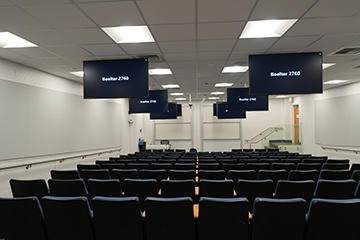
| Capacity: | 124 |
|---|---|
| Data Projection: | Yes |
| Classroom Computer: | No |
| Video Playback: | Inputs Only |
| Live Stream Capable: | Yes |
| Sound System: | Media |
| Recording: | Audio |
| Furniture: | Fixed |
Data Projection
- A projector is installed in the room.
- A laptop or device can connect wirelessly or via USB-C.
Video Projection
- HDMI input available. Please contact AVS.
Internet Access
- The room is designed for Wireless Network Access for all students and faculty.
Sound System
- Wireless Microphones: Each classroom is equipped with two wireless microphones located near the AV credenza:
- A clip-on microphone with lanyard for instructor use and voice amplification.
- A Catchbox microphone, designed to be tossed or passed around the room, allowing students to participate with amplified sound.
- Media Audio: Audio from connected devices is automatically amplified through the classroom sound system, whether connected wirelessly or via the installed USB-C cable.
BruinCast Recording
- This classroom is equipped to allow audio podcasting. To request recording services, please visit the BruinCast admin webpage. For questions and information regarding the service, please send an e-mail to bruincasthelp@ucla.edu.